ICE, Integrated Cloud Environment
Design cloud infrastructure, then deploy it
ICE is an open-source visual editor for cloud infrastructure. Drag blocks onto a canvas, connect them, preview the cost, and deploy to your own cloud accounts. Free, PolyForm Noncommercial 1.0.0, on macOS, Windows, and Linux.
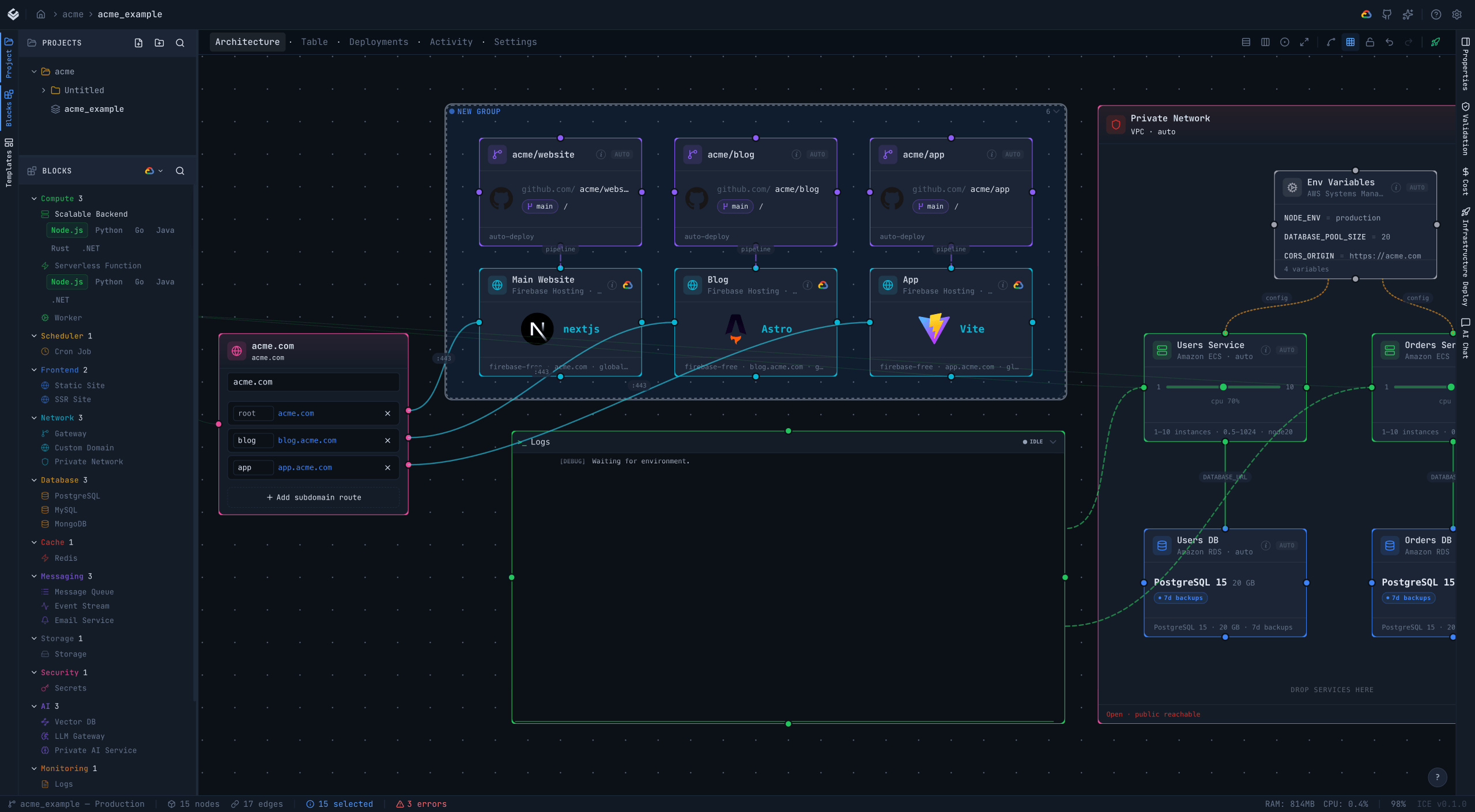
What is in the editor
Visual editor
Drag blocks onto a canvas and connect them. The design is the source of truth.
AI assistant
Ask Claude to add a database or wire a queue in plain English. It proposes, you apply. Bring your own key.
Cost preview
A per-canvas monthly projection before you deploy, so the bill is not a surprise.
GitHub CI/CD
Wire a repo to a canvas and a push triggers a plan and apply.
Observability
A deployed block shows its logs and metrics next to it on the canvas.
Cloud blocks
A palette of provider-neutral primitives across compute, data, messaging, AI, networking, and more.
Templates
Start from a SaaS starter, a RAG chatbot, or a full-stack web app and edit from there.
Import and migrate
Scan an existing GCP project into a canvas, or retarget the same design to another cloud.
Yours to run
PolyForm Noncommercial 1.0.0, no telemetry, no licence keys. Runs on your machine and deploys to your own accounts.
Provider support, honestly
GCP is the mature target, with the full set of handlers and 45+ importers. AWS and Azure ship the main primitives and are experimental. DigitalOcean, Oracle, Alibaba, and Kubernetes are in preview. See the providers page for where each one stands.
Single-user by design
The Community Edition is built for one person and stores everything locally. Team and Cloud editions with multi-user features are on the roadmap. The desktop app embeds its own backend, so it works offline.
Try ICE
Read the code and run it locally. It is free and PolyForm Noncommercial 1.0.0.